Fuse awards certificates to users when they complete SCORM courses or learning plans. Users can view and download their certificates from the Certificates tab on the You page — giving them one place to see and manage all of their completion records.
As an admin, you can control the look of certificates by configuring your organisation's logo and branding in the Admin Panel.
The new Certificates experience is enabled per instance. If your organisation has the new certificates feature enabled, users will see the updated Certificates tab and template described in this article. If it has not been enabled yet, speak to your Fuse Customer Success Manager.
What certificates cover
Certificates are awarded for two types of completion:
-
SCORM course completions — a certificate is generated each time a user successfully completes a SCORM course. Fuse stores all previous completion records, so users can access certificates for past attempts too.
-
Learning plan completions — a certificate is generated when a user completes a learning plan that has certificates enabled.
Both types appear together in the Certificates tab on the You page.
The Certificates tab
Users can access their certificates by navigating to the You page and clicking the Certificates tab.
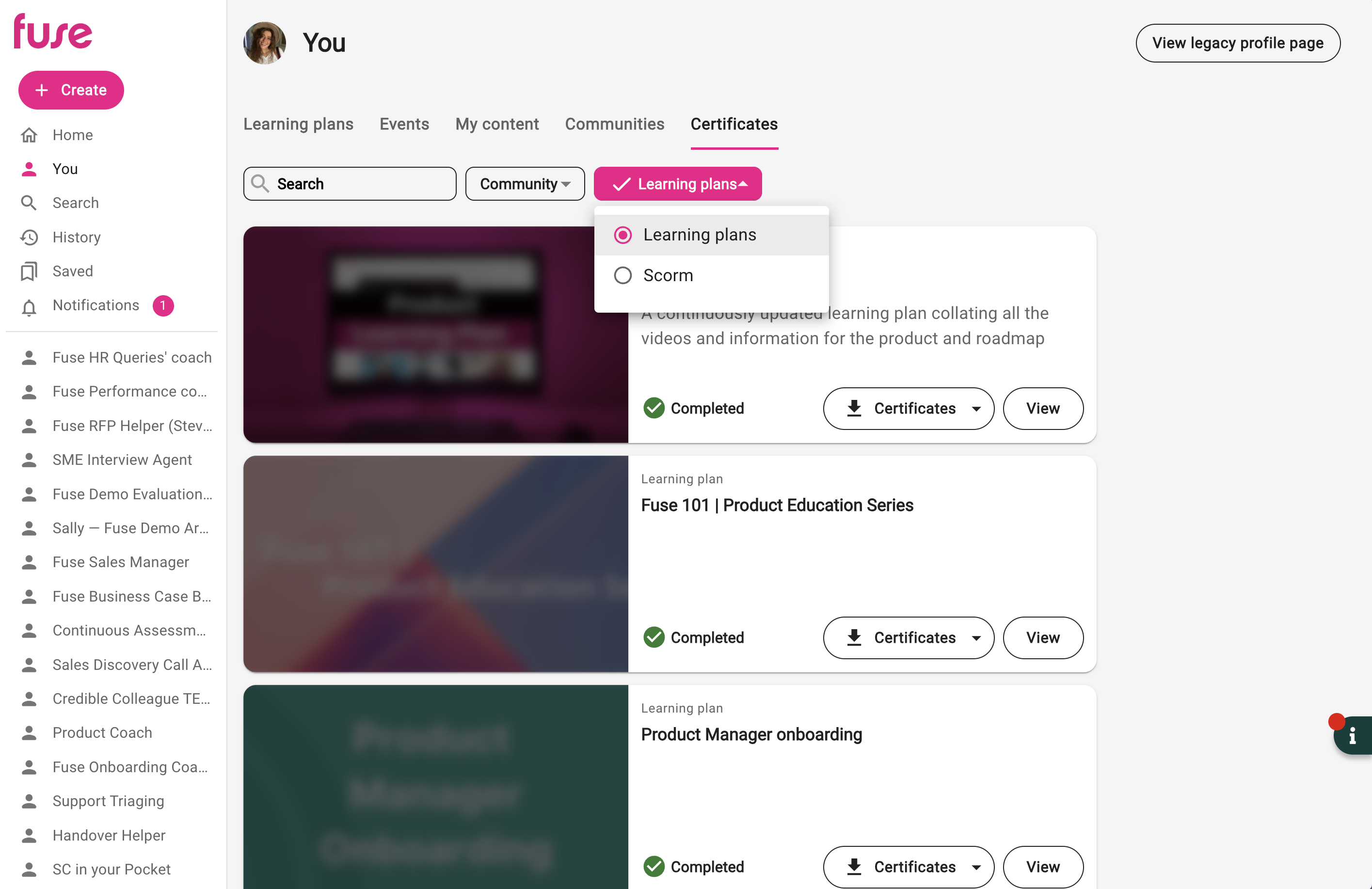
The tab displays all certificates the user has been awarded, from newest to oldest. Each certificate card shows:
-
The name of the SCORM course or learning plan
-
The completion date
-
A View certificate button to open the certificate in the browser
-
A Download button to save it locally
For SCORM courses, users can view certificates for their last 3 completions of the same course — useful for courses that are retaken over time.
Filtering certificates
Users can search and filter their certificates to find what they're looking for quickly. Filters include:
-
Search — search by name of course or learning plan
-
Community — filter by the community the content belongs to
-
Type — filter by SCORM course or learning plan
The certificate template
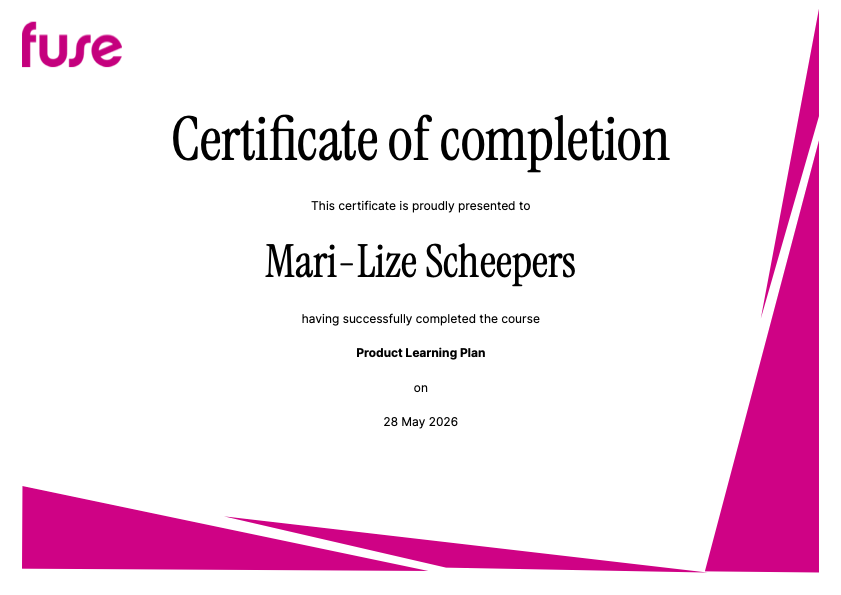
When the new certificates feature is enabled, all certificates — for both SCORM courses and learning plans — use a single updated template. The template automatically pulls in your organisation's branding, including your company colours and logo.
Each certificate displays:
-
The user's name
-
The name of the SCORM course or learning plan completed
-
The completion date
-
Your organisation's logo
The new certificate template no longer includes a signature field. Signatures have been removed as part of this update.
Configuring your certificate logo
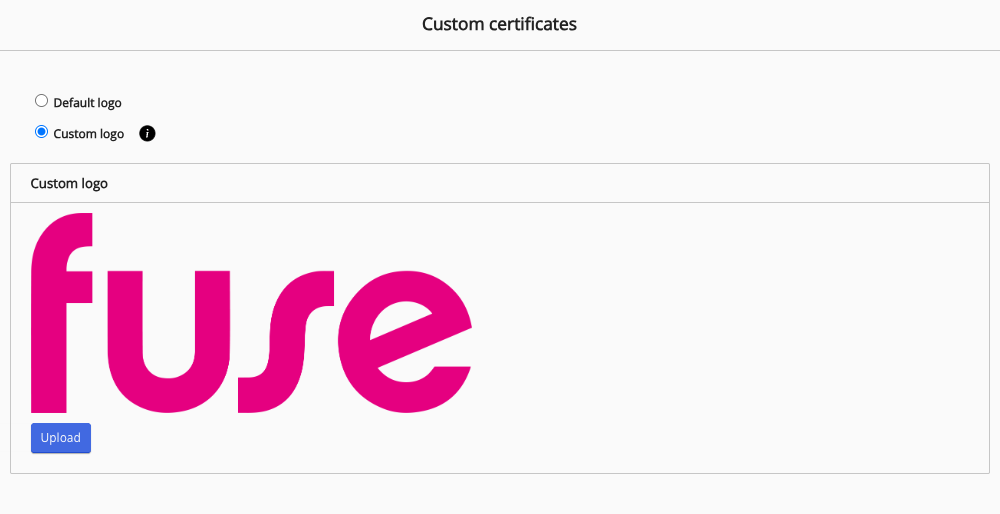
You can customise the logo that appears on certificates from the Certificates screen in the Admin Panel. You can choose to use your platform's default navigation logo, or upload a custom logo to make certificates brand-specific.
To update your certificate logo:
-
In the Admin Panel, click Certificates.
-
Select Default logo to use your platform's existing navigation logo, or select Custom logo and click Upload to add a different one.
-
Click Save.
Things to know
-
When new certificates are enabled on your instance, the legacy certificate generation is disabled. Users will no longer see old-style certificates going forward.
-
If certificates are disabled for your instance, the Certificates tab will not be visible to users. Contact your Fuse Customer Success Manager if you'd like this enabled.
-
Admin users viewing another user's certificates via their profile will still see legacy certificates in that view for now — this will be updated in a future release.
-
If a user fails a SCORM assessment, the course is not marked as complete and no certificate is generated.
-
Previously completed SCORM courses with certificates will continue to be accessible in the Certificates tab after the new feature is enabled.
For more information about SCORM completion records, see SCORM completion records. For more information about SCORM courses in Fuse, see SCORM courses.